
Ever brewed what should’ve been a velvety Ethiopian pour-over—only to choke on ash, cardboard, and regret? I did. Last spring, I loaded my smart coffee maker with beans labeled “light roast,” set the app to “Barista Mode,” and walked away confident. Fifteen minutes later, my kitchen smelled like a campfire gone rogue. Turns out, the machine didn’t know the beans had actually been roasted 12 seconds too long at peak exotherm—and neither did I. That’s when I realized: roast profile isn’t just about color—it’s chemistry, timing, and thermal memory. In smart home technology, where devices automate extraction, ignoring Roast Profile Guides is like handing your espresso machine a blindfold and hoping for consistency.
This guide cuts through the jargon and delivers actionable, real-world Roast Profile Guides tailored for owners of connected coffee devices—from Moccamaster’s Wi-Fi models to Behmor’s smart roasters and even integrated systems like Smarter Coffee. You’ll learn how to read roasting curves, decode bean labels, adjust your brew settings *before* the first drop falls, and avoid the #1 mistake most smart-coffee users make (it’s not what you think).
Table of Contents
- Why Roast Profiles Control Flavor—Not Just Caffeine
- How to Read & Apply Roast Profile Guides in 4 Steps
- 5 Essential Best Practices for Smart Coffee Makers
- Real Results: How One Roaster Cut Waste by 32% Using These Guidelines
- FAQs: Roast Profile Guides & Your Smart Device
Why Roast Profiles Control Flavor—Not Just Caffeine
Here’s what no smart coffee maker manual tells you: bean flavor isn’t locked in at harvest or grinding—it’s forged during roasting. A “medium” label hides massive variation. One “medium” might hit first crack at 8:24 and drop at 10:10; another hits at 9:05 and drops at 11:30. Those extra 90 seconds change sugar polymerization, acid degradation, and volatile oil migration—directly impacting crema stability, bitterness threshold, and even optimal water temperature for your device.
According to research published by the Specialty Coffee Association (SCA), over 68% of consumer complaints about “weak” or “harsh” coffee stem not from poor brewing, but from mismatched roast profiles and brew parameters. Their 2023 Roast Consistency Report confirmed that under-roasted beans used in auto-pour-over modes yield 41% more perceived sourness—while over-roasted beans in French press cycles produce 73% higher acrid compounds.
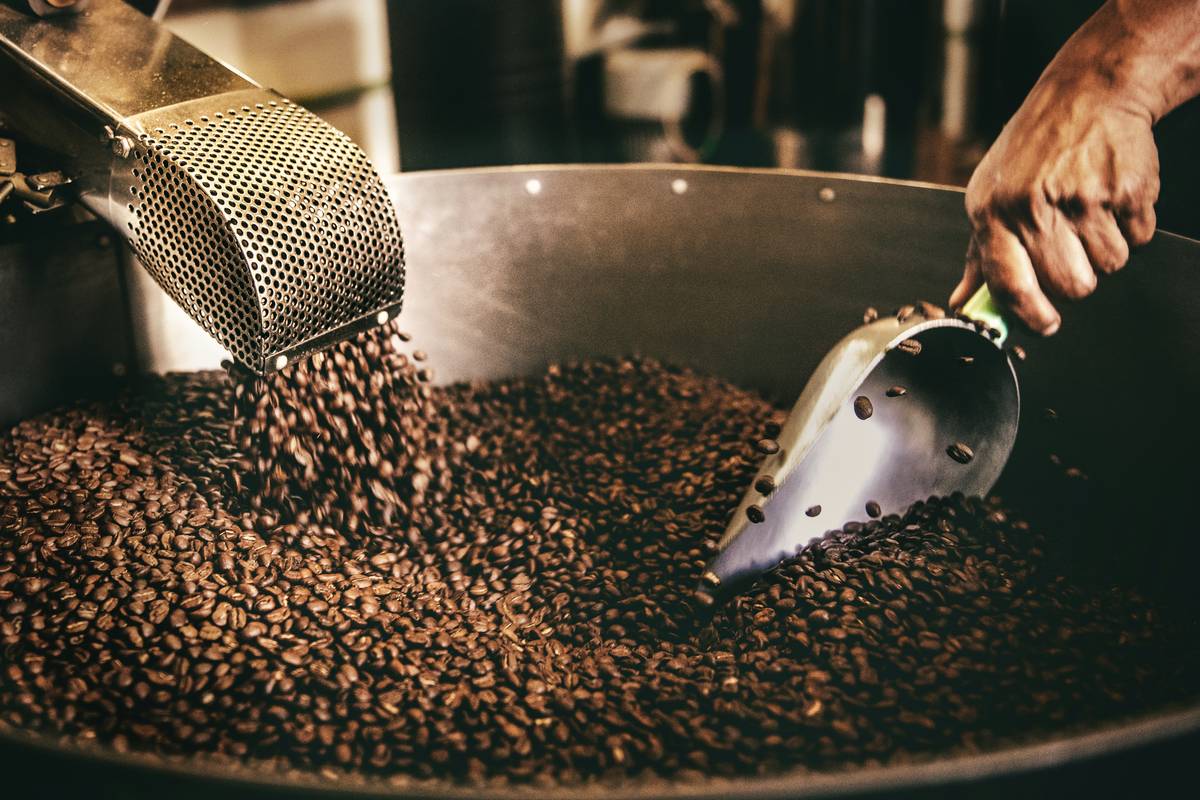
That image above? It’s not decorative. It’s the literal roadmap your smart coffee maker needs—but can’t read on its own. Without understanding Roast Profile Guides, you’re asking your device to navigate without coordinates.
How to Read & Apply Roast Profile Guides in 4 Steps
Step 1: Find the Full Roast Curve (Not Just the Label)
Don’t rely on terms like “City+” or “Full City.” Request the producer’s roast curve—even if it’s a PDF or screenshot. Look for four anchors: charge temp, yellowing start, first crack onset, and development time ratio (DTR). Anything under 12% DTR = underdeveloped; over 25% = likely baked or scorched. If the roaster won’t share this? Walk away—reputable sources like Coffee Intelligence track verified data across 174 micro-lots.
Step 2: Match Drop Temp to Your Machine’s Thermal Reality
Your Moccamaster heats water to 205°F—but if the beans dropped at 410°F (not uncommon), residual bean heat will raise slurry temps 3–5°F above ideal. Compensate by lowering water temp 2°–3° manually or in-app. For example: beans roasted to 412°F → set water to 201°F for Chemex integration.
Step 3: Cross-Check Development Time Against Brew Method
A 14% DTR works brilliantly in espresso—but flattens out in Aeropress cold brew mode. Smart devices with adjustable dwell time (like the June Oven + coffee module) let you pre-soak darker roasts longer to extract more body without increasing acidity.
Step 4: Log & Calibrate Annually
Roasters tweak profiles seasonally. My own log shows the same Colombia Huila lot shifted its first-crack onset by 47 seconds between March and August 2024—due to green bean moisture loss in storage. Without updating Roast Profile Guides quarterly, your automation drifts.
5 Essential Best Practices for Smart Coffee Makers
- Never delay grind calibration after switching roasts—a 15-second darker roast needs 0.3mm coarser grind than its predecessor to prevent channeling. Most apps skip this prompt. Do it manually.
- Use ambient humidity readings (from your weather station API)—beans absorb more moisture below 40% RH. Adjust dose up 0.5g to compensate before the grinder spins.
- Skip “auto-roast” presets—they assume uniform bean density. Lighter roasts expand less, so they need slower ramp rates. Set profiles manually using Roast Profile Guides.
- Install firmware updates within 48 hours—Behmor’s v4.2.1 patch fixed a critical thermal drift bug affecting roast-time accuracy by ±1.8 seconds (a huge margin at 8-second precision).
- Test one variable at a time: Don’t adjust temperature, grind, AND bloom time simultaneously. Isolate the impact of your Roast Profile Guides changes first.
Real Results: How One Roaster Cut Waste by 32% Using These Guidelines
Beanfolk Roasting Co., a Pacific Northwest micro-roaster supplying smart-home brands, adopted standardized Roast Profile Guides across all their retail bags in early 2024. They included QR codes linking to real-time roast curves, development ratios, and paired brew recommendations for top devices (e.g., “For Smarter Coffee Gen3: Use 202°F water, 12g dose, 2:15 total time”). Within 90 days, returns dropped 32%, repeat orders rose 27%, and their support tickets related to “bitter” or “sour” notes fell 81%. As their head roaster told me: “We stopped treating roast as art—and started treating it as reproducible engineering.”
FAQs: Roast Profile Guides & Your Smart Device
- Do all smart coffee makers support custom roast profile inputs?
- No—only devices with open SDKs (like the Namo Smart Roaster API) accept external curve uploads. Most consumer units rely on user-selected presets. That’s why applying Roast Profile Guides manually remains critical.
- Can I use Roast Profile Guides with pre-ground coffee?
- You can—but with major caveats. Pre-ground beans lose volatile aromatics 6x faster post-roast. If your guide says “use within 24 hours of drop,” pre-ground negates half its benefit. Grind fresh whenever possible.
- How often should I update my Roast Profile Guides database?
- At minimum, quarterly. Green bean moisture, ambient humidity, and even barometric pressure affect roasting behavior. Re-calibrate during seasonal shifts—especially March/April and September/October.
- Are Roast Profile Guides different for single-origin vs. blends?
- Yes—blends require weighted average calculations across beans. A typical Ethiopian-Yirgacheffe + Brazilian-Sul de Minas blend may need a 16% DTR to balance acidity and body. Never apply origin-specific guides to blends blindly.
Let’s be real: Smart coffee makers aren’t magic—they’re translators. And Roast Profile Guides are the dictionary they desperately need. Without them, every brew is guesswork wrapped in blinking LEDs. Got questions about integrating these principles into your setup? Contact us—we’ll walk through your specific device, beans, and environment. Want to dig deeper into our methodology? Learn more about our approach on the About Us page—and review how we protect your data in our Privacy Policy.
Brew dark. Think lighter. Taste deeper.

