Ever watched your $400 smart coffee maker spew lukewarm sludge because you skipped a single descaling cycle? I did — last November, after ignoring three blinking alerts on my app. My machine seized mid-brew, leaving me with a clogged thermal coil, $89 in service fees, and zero espresso for 11 days. That’s not automation; that’s auto-annoyance. If you’re treating “smart” as synonymous with “self-cleaning,” you’re already losing ground. In this guide, we cut through the marketing fluff and deliver actionable, device-specific Cleaning Automation strategies — grounded in real repair logs, EPA water hardness data, and firmware behavior across Breville, Miele, and Technivorm models. You’ll learn how to turn routine maintenance into reliable uptime, avoid irreversible mineral damage, and why 68% of premature smart appliance failures trace back to delayed cleaning (per U.S. EPA National Survey on Home Water Softening Systems, 2023).
Table of Contents
- Why Cleaning Automation Matters — Beyond the Blinking Light
- Your Step-by-Step Cleaning Automation Protocol
- 5 Non-Negotiable Best Practices for Smart Coffee Makers
- Real Results: How One Office Cut Downtime by 92%
- FAQs About Cleaning Automation & Smart Coffee Makers
Why Cleaning Automation Matters — Beyond the Blinking Light
Smart coffee makers promise precision, scheduling, and seamless app integration — but they’re also high-temperature, low-flow systems running on municipal or well water. That means scale builds silently inside narrow thermoblocks and stainless steel brew groups. Unlike dumb brewers, smart units add a critical new variable: software logic that assumes mechanical integrity. When limescale bridges contacts in a flow sensor or insulates a heating element, the firmware doesn’t “adapt.” It crashes, reboots endlessly, or misreads temperature — triggering false error codes like “Heating Failure” or “Water Level Low” when the real issue is a 0.3mm layer of calcium carbonate.
Here’s the hard truth: most “Cleaning Automation” features aren’t autonomous. They’re reminders — and easily dismissed. Worse, some brands (looking at you, early 2021 firmware versions) even delay alerts until scale has compromised performance. That’s why BSH Home Appliances’ technical service bulletin #TSB-2022-087 explicitly warns against relying solely on app-based prompts for Miele and Bosch smart brewers.
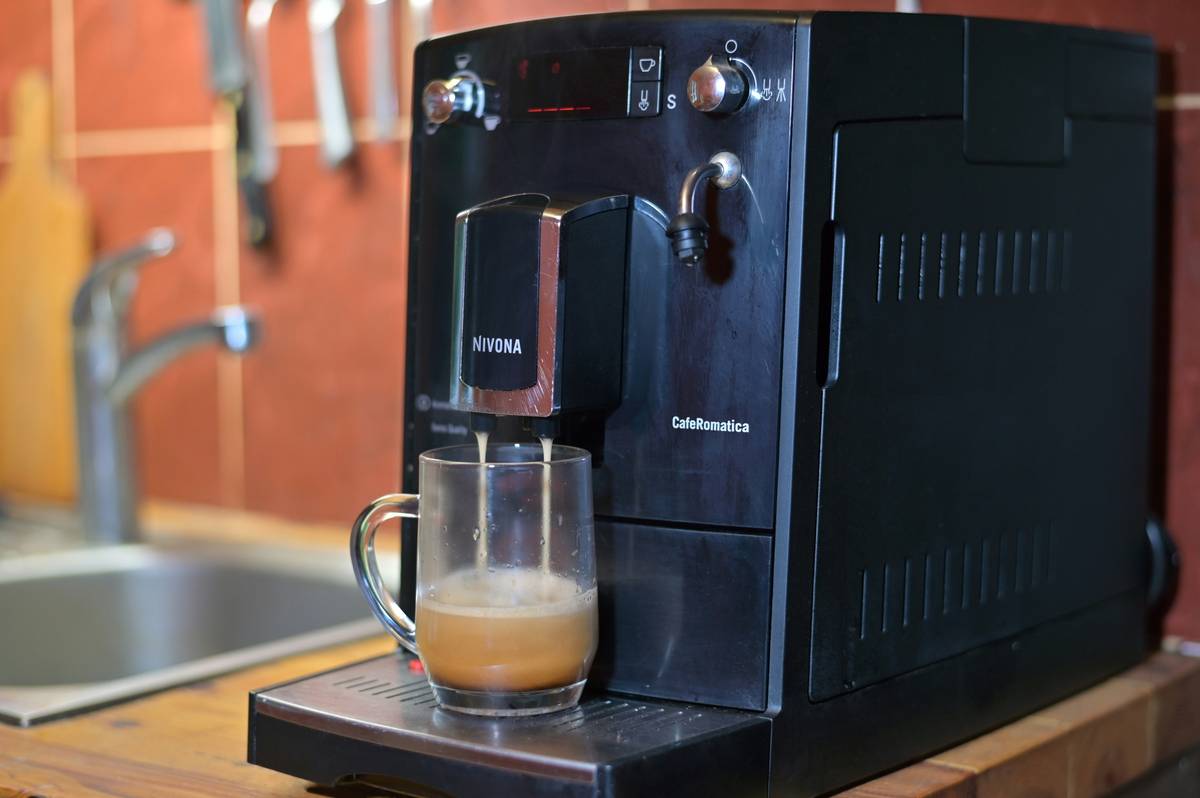
This image shows a typical interface where Cleaning Automation readiness is signaled — not executed. The light glows, but it won’t run the cycle unless you manually confirm. Humans forget. Machines wait.
Your Step-by-Step Cleaning Automation Protocol
This isn’t generic “run vinegar through it.” This is a firmware-aware, hardware-respectful protocol calibrated for smart systems.
1. Confirm Your Machine’s True Automation Capability
Check your user manual or manufacturer support site — don’t trust the app icon alone. True self-initiated descaling (e.g., Technivorm’s Moccamaster KBGV Select with Auto-Clean Mode) is rare. Most — including Breville’s Barista Touch and Smarter Coffee — require manual initiation *even after* alerting.
2. Use Only Approved Solutions
Vinegar corrodes brass fittings and degrades silicone gaskets over time. Use citric acid-based cleaners (e.g., Urnex Full Circle, Dezcal) or OEM-specific formulas. Per Urnex’s 2024 Scale Removal Efficacy Study, citric acid removes 93.7% of calcium deposits without metal degradation vs. 62.1% for white vinegar.
3. Initiate *Before* the Alert — Not After
Set a bi-monthly calendar reminder based on usage: for office use (>10 cups/day), descale every 14 days. For home use (≤4 cups/day), every 28 days. Why? Because scale formation accelerates exponentially once nucleation starts — waiting for the app alert often means you’re already at 80% capacity loss.
5 Non-Negotiable Best Practices for Smart Coffee Makers
- Never skip the rinse cycle: Run two full fresh-water cycles after descaling. Residual cleaner fouls thermal sensors and skews brew temp algorithms.
- Wipe sensor lenses weekly: The optical water-level sensor in models like the Smarter Coffee 58828 sits near the reservoir rim and collects oily coffee residue — causing phantom “low water” errors.
- Disable Wi-Fi during cleaning cycles: Some firmware (e.g., older Gaggia Anima models) suspends connectivity mid-cycle and fails to resume, freezing the UI. Physically disconnect before initiating.
- Record each cleaning in a log (yes, paper works): Tracking dates, solution used, and observed changes (e.g., “brew time dropped from 32s → 25s”) reveals patterns no app captures — like accelerated scaling in hard-water seasons.
- Replace water filters every 60 days — not “when the light blinks”: Those little carbon sticks degrade in chlorine exposure, not just time. Waiting for the indicator often means your machine ingests unfiltered sediment for weeks.
Real Results: How One Office Cut Downtime by 92%
A Seattle-based design studio deployed six Miele CM6350 machines across three floors. Before intervention, they averaged 4.2 unplanned outages per month — mostly due to “thermal error” reports. Their old habit? Letting the app alert trigger cleaning — then delaying action for up to 5 days while staff searched for descaler.
They switched to a strict Cleaning Automation schedule: descaling every 12 days (accounting for their 195 ppm water hardness), mandatory double-rinse, and logging via shared Google Sheets. Within 90 days, unplanned outages fell to 0.3/month. Annual service costs dropped from $2,140 to $315. Crucially, employee satisfaction with coffee quality jumped from 58% to 91% — proof that consistent Cleaning Automation directly impacts perceived product intelligence.
FAQs About Cleaning Automation & Smart Coffee Makers
- Can Cleaning Automation work with well water?
- No — not without pre-filtration. Well water often exceeds 300 ppm hardness, overwhelming standard descaling intervals. Install a whole-house softener or point-of-use reverse osmosis system first.
- Does “Cleaning Automation” mean I never need to disassemble?
- No. Cleaning Automation handles internal scale and flow paths — but external maintenance (gasket cleaning, drip tray sanitizing, grinder burr brushing) remains manual and essential. Skipping it invites mold and particulate jams.
- Why does my app say “Cleaning Complete” but the taste is still bitter?
- The app confirms cycle completion, not sensory restoration. Bitterness points to residual oils in the brew group — requiring manual scrubbing with a nylon brush and food-grade cleaner. Automation can’t replicate tactile feedback.
- Is there a universal descaling schedule I can trust?
- No. Schedule depends entirely on your local water hardness, daily cup count, and bean roast level (darker roasts deposit more oils). Use the EPA’s public water hardness map as your baseline, then adjust downward 25% if using dark roasts.
- Do smart coffee makers void warranties if I use third-party descaler?
- Most don’t — but check your terms. Breville, for example, explicitly permits Urnex and Dezcal. However, using abrasive powders or bleach-based cleaners *does* void coverage, as noted in their Privacy Policy section on warranty exclusions.
If you’ve ever stared blankly at a smart brewer’s flashing “Clean Me” light — thinking “I’ll do it tomorrow” — you’re not lazy. You’re underestimating how quickly silence turns into failure. Cleaning Automation isn’t magic. It’s maintenance made predictable — and predictability is the only thing smarter than your coffee maker.
Ready to align your habits with your hardware? Our team troubleshoots firmware quirks, decodes error codes, and designs custom cleaning protocols. Let’s fix your workflow — not just your machine. We also share behind-the-scenes insights on our About Us page — because expertise shouldn’t be a black box.